You are here: Client Accounts > Add Client Accounts > Qualified Investor Broker: Abbreviated Electronic Account Application

Qualified Investor Broker: Abbreviated Electronic Account Application

Note: A QI broker is a broker that has indicated they are a qualified intermediary on an IMY form.

As the Broker Master, you add a client account by completing an abbreviated account application online. You will not be asked for any information which will expose your client's identity. It is your responsibility to ensure that your clients meet legal and regulatory registration requirements, and that you carefully review each client application.

To complete an abbreviated electronic client application

  1. Log in to Account Management.
  2. Click Manage Clients > Create and Link Accounts> New.
  3. The Add Non-disclosed Account page opens.
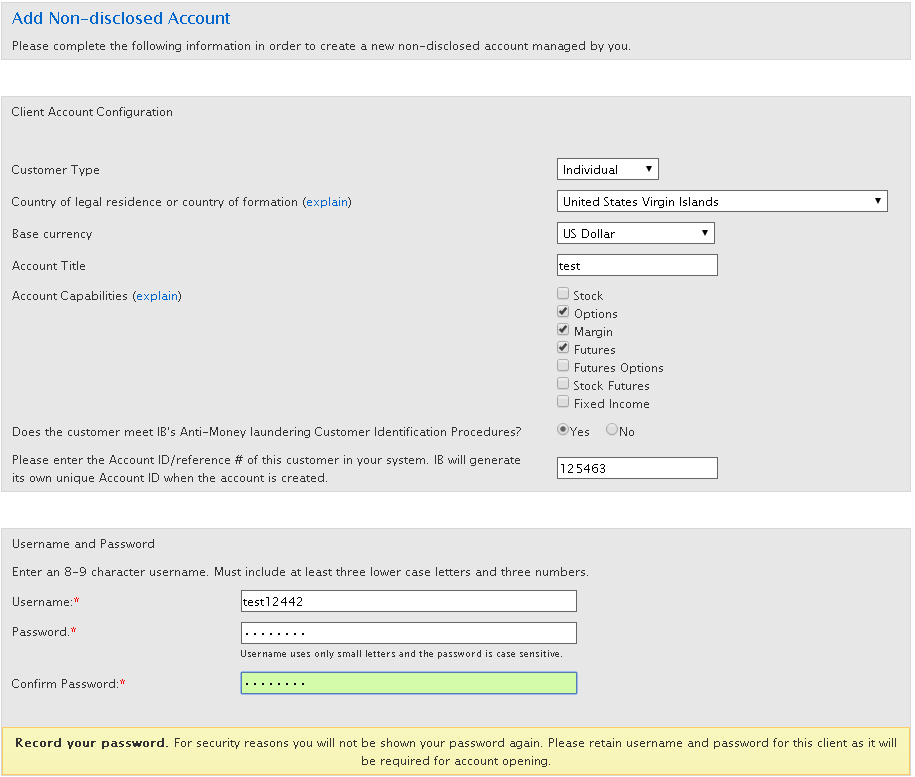
  4. Complete the Client Account Configuration and Username and Password sections, and then click Submit.

The Tax classification page (part of the client application) opens.
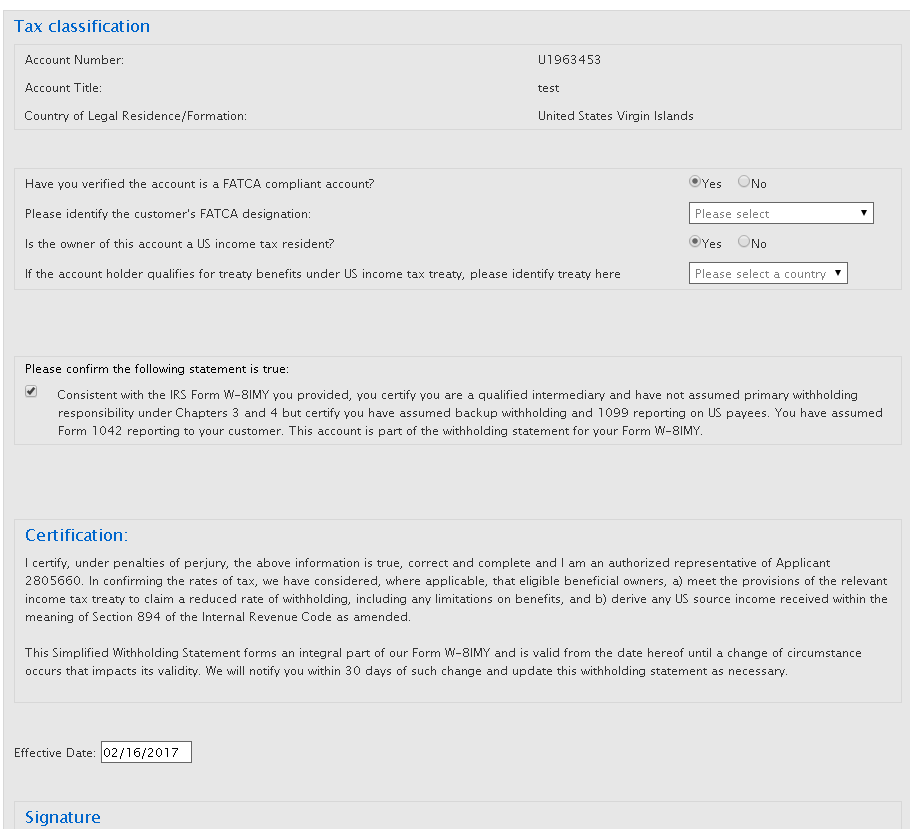
  1. Complete the Tax Classification section and sign the page, then click Submit.

The confirmation page opens.

  1. Provide the username and password to your client.
  2. Instruct your client to log in to Account Management (click LOG IN > Account Management from the menu on our website), with the username and password you provided.
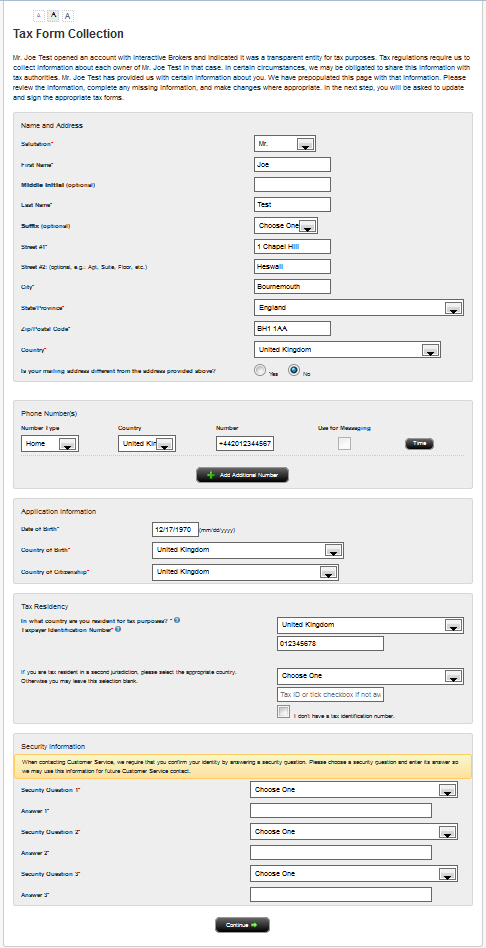
  3. The client must complete the Tax Form Collection page, clicking Continue when done.